Stripe Dashboard Mockup Generator
Real numbers, your narrative.
Design a pixel-perfect Stripe dashboard for pitch decks, founder demos, and agency case studies. Customize gross volume, balances, payouts, and charges. 15 presets, 35 currencies. Free to use and offline.


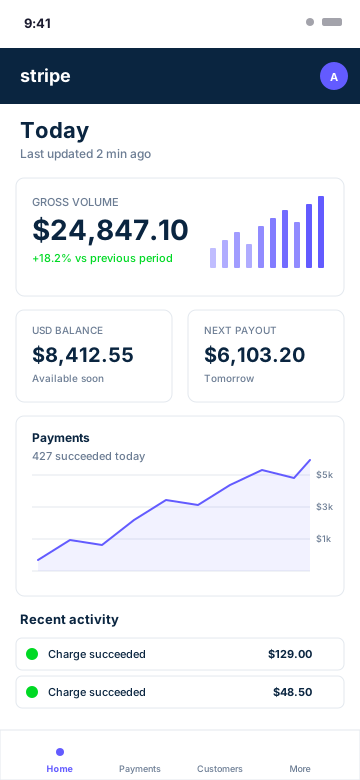
Pixel-Perfect Stripe Layout
Every detail matches the real Stripe dashboard - the navy header bar, the gross volume card, the payments chart, the activity feed. Colors, type, spacing, and the signature Stripe purple (#635BFF) are all dialed in.
- Stripe-accurate header and navigation
- Gross volume hero card with sparkline
- USD balance and next payout cards
- Payments line chart with grid lines
- Recent activity feed with status dots
- Stripe brand typography and colors
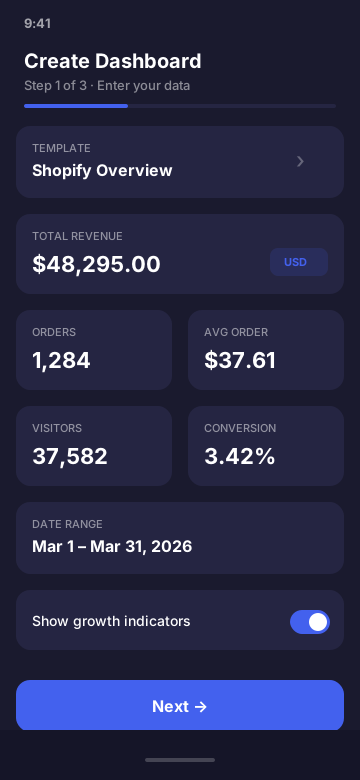
Every Stripe Metric, Editable
Set gross volume, succeeded payment count, USD and multi-currency balances, next payout amount and date, individual charges, and the chart time series. Quick-fill presets cover common founder scenarios from $1K/mo MRR to $1M/mo enterprise.
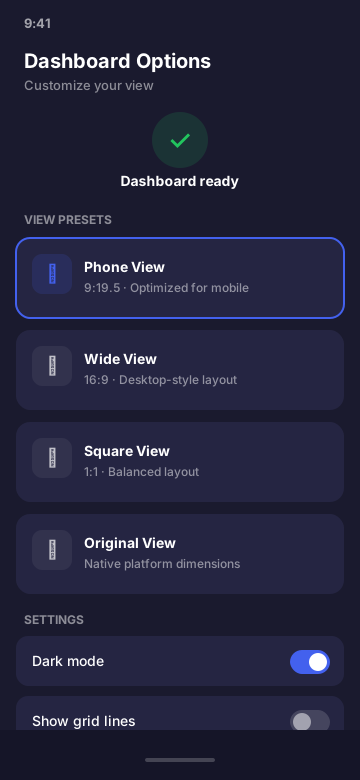
Built for Founders and Agencies
Drop the mockup into a Series A deck, a case study slide, a founder demo video, or a Twitter thread about your launch. Render at retina resolution on-device for screen recording, or pinch-zoom to capture a clean still.
- Pitch decks and investor demos
- Agency case studies and pitches
- SaaS launch threads and Reels
- Course materials on payments
- Product UX walkthroughs
Stripe Dashboard Mockup FAQ
What does the Stripe dashboard mockup look like?
It mirrors the real Stripe dashboard: gross volume header card, USD balance, next payout, payments line chart, and a recent activity feed. The colors, typography, and spacing follow Stripe's design language so the result is indistinguishable from the real thing at thumbnail or screen-share resolution.
What Stripe data fields can I customize?
Gross volume, USD balance, multi-currency balances, next payout amount and date, succeeded payment count, individual charge amounts and statuses, customer names, payment methods, and the gross-volume time series. You can also switch reporting currency across 35 options.
Is it legal to use a Stripe dashboard mockup?
Yes. Mockups are a standard design practice, same as wireframing a product UI in Figma. CustomDashboards labels output as simulated and is not affiliated with Stripe. You are responsible for how you use the mockup - don't pass it off as a real Stripe export to investors or for fundraising claims.
Can I use the Stripe mockup in a pitch deck or case study?
Founders and agencies commonly use Stripe-style mockups for case study slides, before/after comparisons, and product walkthrough videos. The mockup represents a UI concept or hypothetical scenario - not a verified financial record. Keep the framing honest and you're fine.
Does CustomDashboards connect to my real Stripe account?
No, and that's the point. The app never touches the Stripe API, never asks for your secret key, and never makes a network request. Everything is entered manually and rendered on your device. There is no integration, no OAuth, no scraping.
Can I show multi-currency balances in the Stripe mockup?
Yes. The app supports 35 currencies and you can set the primary reporting currency plus secondary balances. Useful for SaaS companies and marketplaces that operate across multiple regions.
Ready to Build Your Stripe Mockup?
Download CustomDashboards - free to use, private, and your first Stripe dashboard takes under 30 seconds.