Amazon Seller Dashboard Mockup Generator
Real numbers, your narrative.
Design a pixel-perfect Amazon Seller Central dashboard for FBA case studies, course content, and agency pitches. Set sales, units, sessions, conversion, and buy box rate. Free to use and offline.


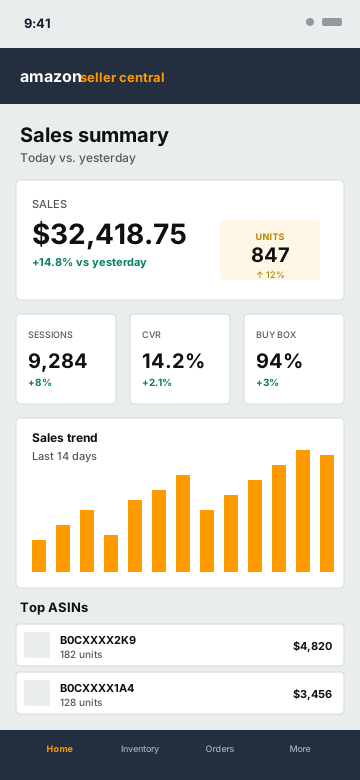
Pixel-Perfect Amazon Seller Central
The navy header (#232F3E) and orange wordmark (#FF9900), the sales hero card with a units indicator pill, the sessions/CVR/buy-box metric row, the 14-day bar chart, and the top ASINs table - all matching the live Seller Central mobile app.
- Amazon navy + orange brand colors
- Sales hero with units indicator
- Sessions / CVR / Buy Box metric tiles
- 14-day sales bar chart
- Top ASIN list with units and revenue
- Seller Central tab bar
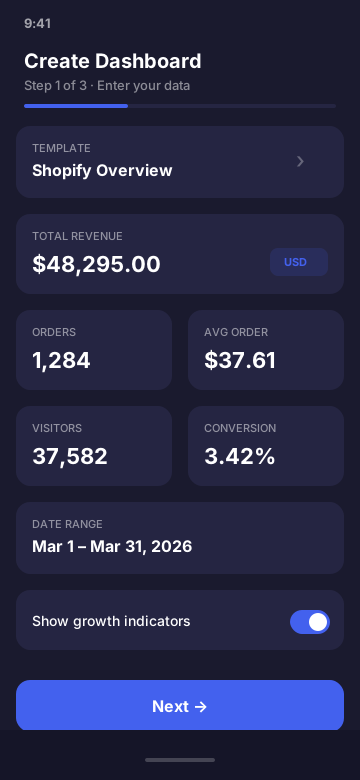
Every Seller Central Field, Editable
Sales, units sold, sessions, conversion rate, buy box percentage, top ASINs with custom ASIN strings, 14-day sales trend, and reporting currency. Presets cover a private-label launch through to a 7-figure FBA brand.
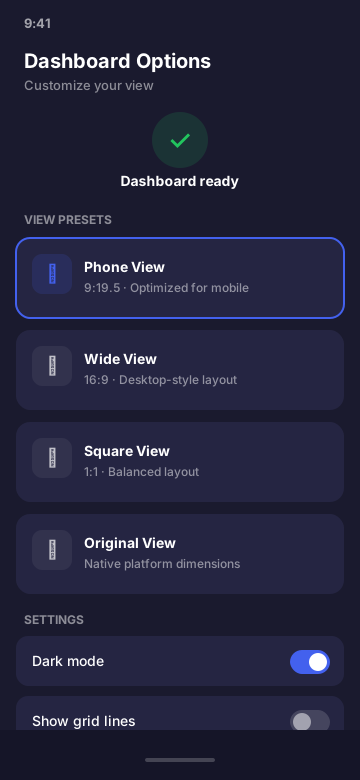
Built for FBA Sellers and Agencies
Use it in agency case studies, FBA course modules, PPC content, product launch threads, and YouTube Amazon-revenue videos. No exposing real seller IDs, ASINs, or supplier data.
- FBA agency case studies
- Amazon PPC course content
- Private label launch threads
- "How I built a $1M FBA brand" videos
- Aggregator and exit pitch decks
Amazon Seller Dashboard Mockup FAQ
What does the Amazon Seller dashboard mockup look like?
It mirrors the Amazon Seller Central mobile app: navy header (#232F3E), the orange wordmark (#FF9900), sales hero card, a units indicator, sessions/conversion/buy-box metric row, a 14-day sales bar chart, and a top ASINs list. The whole layout matches the real seller dashboard.
What Amazon Seller metrics can I customize?
Sales, units sold, sessions, page views, conversion rate (CVR), buy box percentage, top ASINs with units and revenue, 14-day sales trend, marketplace, and reporting currency across 35 options.
Who uses Amazon Seller Central mockups?
FBA sellers and brands showing case studies, Amazon course creators teaching PPC and product research, agencies pitching new clients, and content creators making "how I did $X on Amazon" videos. Mockups let you tell the story without exposing real seller IDs, ASINs, or competitive data.
Is it legal to mock up Amazon Seller Central?
Yes. The output is labeled simulated and the app is not affiliated with Amazon. Use it for design, education, content, and demonstrations - not to fake real revenue claims or violate Amazon's policies.
Can I show the buy box percentage and CVR?
Yes. These are key metrics for FBA sellers, so they get dedicated fields and metric tiles in the mockup. Useful for teaching listing optimization, ranking improvements, and ad spend efficiency.
Does this connect to my real Amazon Seller account?
No. CustomDashboards never touches the SP-API or MWS, never asks for your MWS auth token, and never makes a network request. Everything is entered manually and rendered on-device.
Ready to Build Your Amazon Seller Mockup?
Download CustomDashboards - free to use, private, and your first Seller Central mockup takes under 30 seconds.