Shopify Dashboard Mockup Generator
Real numbers, your narrative.
Design a pixel-perfect Shopify admin dashboard for content, courses, and case studies. Customize total sales, orders, AOV, top products, and traffic. 15 presets, 35 currencies. Free to use and offline.


Pixel-Perfect Shopify Admin
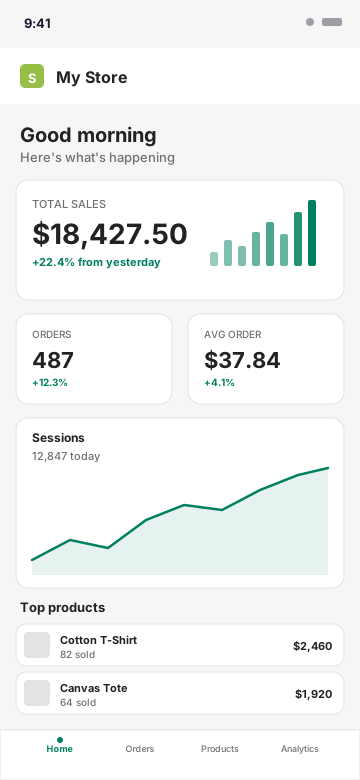
Every element matches the real Shopify admin - the off-white background, the green accent (#008060), the typography, the spacing. Total sales, orders, AOV, sessions chart, and top products with thumbnails all render exactly as they appear in your live store.
- Shopify admin typography and color tokens
- Total sales card with mini bar chart
- Orders and AOV side-by-side cards
- Sessions line chart with smooth area fill
- Top products list with thumbnails and unit counts
- Bottom tab bar matching the Shopify app
Every Shopify Metric, Editable
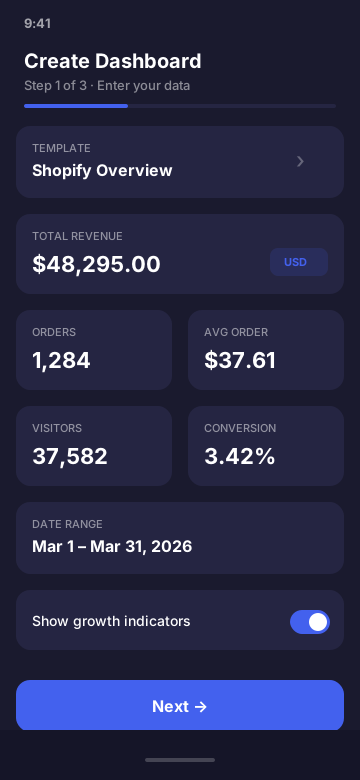
Set total sales, order count, average order value, conversion rate, sessions, top products with thumbnails and units sold, traffic sources, recent orders with status badges, and store name. Quick-fill presets cover everything from $500/day side hustle to $50K/day viral launch.
Built for Stores, Creators, and Courses
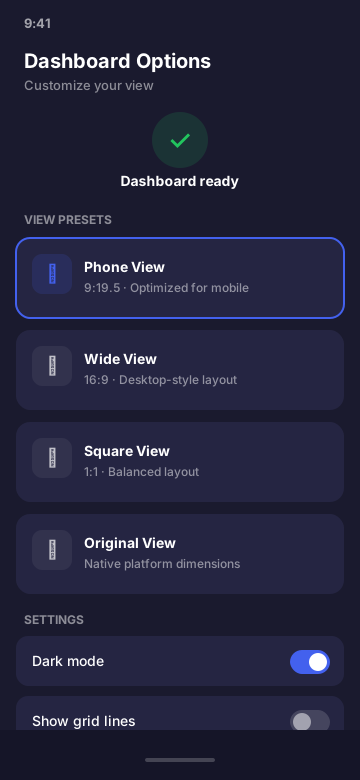
Drop the mockup into a YouTube thumbnail, a TikTok hook, a course sales page, an agency case study, or an investor pitch. Render at retina on-device for crisp screen recording.
- YouTube thumbnails and TikTok hooks
- Instagram Reels and Stories
- E-commerce course sales pages
- Agency case studies and pitches
- Store milestone celebrations
Shopify Dashboard Mockup FAQ
What does the Shopify dashboard mockup look like?
It mirrors the real Shopify admin: greeting header, total sales card with mini bar chart, orders and AOV metric cards, sessions line chart, and a top products list with thumbnails. The Shopify green (#008060) accent, typography, and spacing match the live admin.
What Shopify fields can I customize?
Total sales, order count, average order value, conversion rate, sessions, returning customer rate, top products with thumbnails and units sold, traffic sources, recent orders with status badges, store name, currency (35 supported), and the date range.
Can I use the Shopify mockup for YouTube and TikTok content?
Yes - it's one of the most common use cases. Render at retina resolution and screen-record, or pinch-zoom to capture a clean still for thumbnails, Reels, and TikToks. The mockup looks identical to a real Shopify admin at thumbnail size.
Is it legal to make a Shopify dashboard mockup?
Yes. Mockups are a standard design practice. CustomDashboards labels output as simulated and is not affiliated with Shopify. You are responsible for how you use the mockup - don't represent it as real financial data for fraud or misrepresentation.
Does the Shopify mockup connect to my real store?
No. The app never touches the Shopify API and makes zero network requests. Everything is entered manually and rendered on your device. No OAuth, no scraping, no integration.
How is this different from a Shopify screenshot?
Real screenshots expose sensitive data (revenue, customer names, supplier info) and can violate Shopify's terms in some contexts. A mockup gives you the same visual impact without exposing real data, as long as you label it as a mockup and don't present it as real Shopify figures.
Ready to Build Your Shopify Mockup?
Download CustomDashboards - free to use, private, and your first Shopify dashboard takes under 30 seconds.